






Description
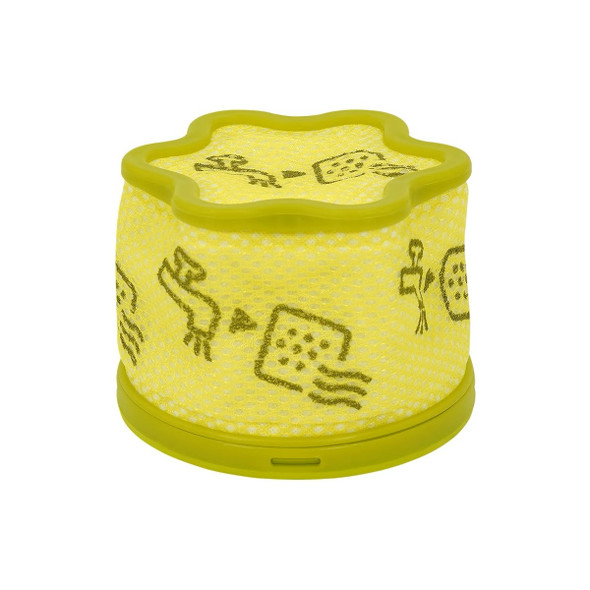
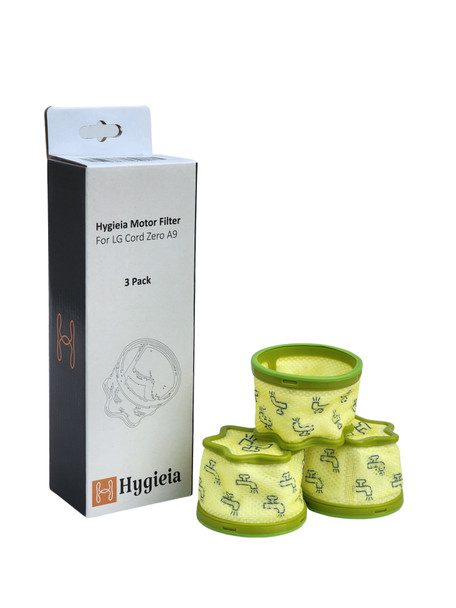
Replacement Pre-Filter for LG CordZero A9 Cordless Vacuum Cleaners
Packet of 3
Key Features
- Alternative of Original LG Part Number: ADQ75393701
- Protects the Motor: Captures larger particles and stops them from entering and damaging the motor.
- Enhances Filtration: Works together with the exhaust/HEPA filter to trap dust, allergens, and fine particles, contributing to cleaner air exhaust.
- Improves Airflow: Maintains optimal airflow within the vacuum for consistent suction power.
- Prolongs Vacuum Life: Regular use of a clean pre-filter helps prolong the life and efficiency of your vacuum.
Where Is the Pre-Filter Located?
The pre-filter is located inside the dust bin assembly of your CordZero A9 vacuum. When you open the dust container and remove the cyclone/cyclonic mesh, the pre-filter is inserted ahead of the motor and often under the exhaust filter.
Compatible Models
Suitable for LG CordZero A9 Series Vacuum Cleaners, including:
AEROSCIENC Technology (A9N-Series)
LG CordZero A9N-SOLO
LG CordZero A9N-PRIME
LG CordZero A9N-FLEX
LG CordZero A9N-MULTI
Auto Empty/ All-in One (A9T-Series)
LG CordZero A9T-LITE
LG CordZero A9T-MAXMT
LG CordZero A9T-MAXBG
LG CordZero A9T-ULTRA
Kompressor Technology (A9K-Series)
LG CordZero A9K-EVOLVE
LG CordZero A9K-CORE
LG CordZero A9K-ULTRA
Other LG CordZero A9 Models
LG CordZero A9
LG CordZero A9 Multi / A9 Multi2X
LG CordZero A9 Neo / Neo Master / Neo Max / Neo Multi
LG CordZero A9 Ultimate / A9 Ultimate 2X
LG CordZero A9 Master2X
LG CordZero A9 Advanced
LG CordZero A9 Essential
LG CordZero A9 Single
LG CordZero A9 Pet & Bed (A9PETNBED, A9PETNBED2X)
⚠️ Compatibility Note
❌ Not compatible with LG A9-ACE models
How to Clean the Pre-Filter?
- Remove the dust bin from the vacuum body.
- Open the dust bin and remove the cyclone/cyclonic mesh filter.
- Take out the pre-filter (it often sits under or near the exhaust filter).
- Brush off dust and debris using a soft brush.
- Rinse under running water if needed — do not use detergents.
- Let it dry completely (24+ hours) in a well-ventilated area before reinstalling.
How Often to Clean?
Clean both the pre-filter and exhaust filter at least once every month, or more often if you use the vacuum in very dusty conditions.
If you notice reduced suction, bad odors, or increased dust escaping, check and clean the filters immediately.
How Often to Replace?
Filters are consumable parts — even with regular cleaning, they gradually wear out.
Replace every 6–12 months depending on usage, environment, and dust levels. Replace sooner in high-dust or pet-hair environments.
What Happens If You Don’t Maintain It?
- Reduced suction power: A clogged filter restricts airflow and lowers cleaning performance.
- Motor strain: Dust sneaking past a dirty filter can reach the motor, reducing efficiency and potentially shortening motor life.
- Poor air quality: A blocked filter can cause dust and allergens to bypass filtration, reducing the effectiveness of the vacuum’s cleaning and air quality performance.
- Overheating or shutdown: Severe blockage can cause the vacuum to overheat or auto-shutoff to protect itself.
Warranty Information
This product covered by:
- Full manufacturers warranty
- 30 day no hassle returns
- 100% satisfaction guarantee
We stand by our products and want to make sure you are happy with your purchase. If for some reason you are not satisfied with this product please let us know, we will be happy to rectify this.
Please refer to our returns tab for T's & C's